How to Save Big Money During the Steam Sale
3 July 2026
Ah yes, the Steam Sale — a time when gamers’ wallets tremble and wishlists finally get the attention they deserve. Whether it’s the Winter Sale, Summer Sale, Autumn Sale, or even those surprise midweek blowouts, one thing’s for sure — Valve knows how to make us part with our cash in exchange for sweet digital joy.
But hold up.
Before you go throwing your wallet at your screen (we’ve all been there), there are smart ways to work the system. Missing out on massive savings or overpaying just because you got a little excited? That’s rookie stuff.
Let’s change that. Here’s a practical, no-BS guide on how to save big money during the Steam Sale — without FOMO, regret, or unnecessary spending.
? Know the Steam Sale Types and Dates
First things first, know when the action happens.Steam has several major sales per year, plus a few smaller events sprinkled throughout. Here's the usual lineup:
- Steam Summer Sale – Late June to early July
- Steam Winter Sale – Mid to late December
- Steam Autumn Sale – Around Black Friday
- Steam Spring Sale – Mid to late March
- Publisher Sales, Midweek Madness, Weekend Deals – Random and frequent
If you're planning to save money, timing matters. The big seasonal sales usually offer the deepest discounts, especially on AAA titles and developer bundles.
? Pro Tip: Use a calendar or set reminders. Valve rarely announces the dates early, but they almost always leak. Bookmark sites like SteamDB or Reddit's r/Steam for updates.
? Build and Organize Your Wishlist Early
Don’t wait until the sale starts to dive into the store like a headless chicken. Instead, build your wishlist beforehand.Why? Because Steam sends you email notifications about wishlist games when they go on sale — super handy if you're not glued to your PC 24/7.
Also, Steam's wishlist feature now allows sorting by discount, price, and release date. That means you can easily compare what’s worth buying and what can wait.
This is your digital game-shelf of dreams — make it count.
?️♂️ Use Third-Party Tools Like SteamDB & IsThereAnyDeal
Want to feel like a real bargain hunter? You gotta go deeper.? SteamDB (Discount Tracker)
SteamDB isn't affiliated with Valve, but it's arguably more useful than the actual store during sales. It tracks:- Price history
- All-time lowest prices
- Regional differences (yes, prices vary massively depending on your country)
If a game is only 25% off but was 75% off a few months ago — SteamDB will show you that. Boom. Instant context.
? IsThereAnyDeal
This tool compares prices across multiple authorized retailers (like Humble Bundle, Green Man Gaming, Fanatical). Sometimes Steam isn’t the cheapest.Bonus? You can sync your Steam wishlist to get alerts when a game drops below a price you’re comfortable with. Set it and forget it.
? Stick to a Budget (Seriously)
We get it — everything looks good at -80%.But overspending during a Steam Sale is like buying a gym membership for motivation… and never going. You’re gonna end up with a bloated game library full of titles you’ll never play.
Set a hard budget. Write it on a sticky note, tape it to your monitor, whisper it to yourself like a mantra: “I will not spend more than $50.”
Don’t trust yourself? Use Steam Wallet instead of your credit card. Load it with the amount you’re willing to spend before the sale begins.
It’s like going to a casino with just enough for drinks and the slots. Once that wallet is empty, you’re done.
? Bundle Up for Bigger Savings
Bundles are where the real magic happens.If there’s a series or developer you love, there’s a good chance they’re offering an entire collection — and the discount is usually more aggressive than buying titles individually.
Let’s say you wanted all the "Tomb Raider" games. You could get the full franchise for the price of one AAA release. That’s value right there.
Just be cautious: Steam sometimes counts games you already own and subtracts them from the price. But not always — double-check the bundle details.
? Check for Freebies and Limited-Time Offers
Steam occasionally throws in bonus content or even full games for free during major sales. They're hidden gems in a sea of discounts.Examples:
- DLCs given as loyalty bonuses
- Virtual trading cards you can sell on the Steam Marketplace
- Community rewards just for browsing the store
It’s like finding coins in your couch cushions — you didn’t expect it, but you’re not complaining.
? Don’t Ignore the Steam Trading Cards
Here’s something most casual users forget: Steam Trading Cards equal money — kind of.Here’s how it works:
1. You earn cards just by browsing or buying during sales.
2. Collect full sets, craft badges, and level up your Steam profile.
3. Or, just sell them on the Steam Market for wallet credit.
It’s not much, usually a few cents per card — but it adds up. Sell 10 cards, you might have an extra $1–2 to spend. That’s a small indie game right there.
?️ Be Patient — Wait for Deep Discounts
Just because a game is on sale doesn’t mean it’s a good deal today.Games that are 25% off early in the sale often drop to 50%+ as the sale goes on — especially if they’re not brand-new releases.
Unless you’re dying to play something right now, chill. Browse a bit, compare prices, and reevaluate halfway through the sale.
New daily deals used to be a thing, and while they’re mostly gone, prices still fluctuate slightly depending on publisher decisions.
? Avoid Buying Just Because It’s Cheap
Look, we’ve all been tempted. A game’s 90% off. That’s like $2. You barely notice it, right?But if you do that 10 times… you just spent $20 on stuff you may never even install. You’ve turned your library into a digital hoarding mess.
Before clicking “Buy,” ask yourself:
- Will I play this in the next 3 months?
- Have I been excited about this game before now?
- Is this price historically low?
If the answer is “no” to all three — move on. Let your wishlist grow, not your regrets.
? Know When NOT to Buy
Hot tip: Some games go on bigger discount shortly after release.If a title is relatively new and only 10-20% off, consider holding out. Devs often slash prices deeper after 6–12 months.
Also, don’t rush into buying Early Access games unless they’ve proven themselves (check reviews, player count, dev updates).
And finally, some old-school titles — the OG Doom games, Half-Life classics — they’re on sale so often at the same price, waiting won’t hurt.
? Think Like an Investor, Not a Collector
You’re spending money, so treat it like an investment. Will this game return value in entertainment hours? Is it worth your time?Don’t buy titles you'll eventually forget or uninstall 15 minutes in.
Instead, aim to buy:
- Games with high replayability
- Games you’ve researched and know you’ll enjoy
- Games that fill a gap in your gaming library (want a new co-op game for weekend hangs? prioritize that)
? Check Out the Community Events and Rewards
Steam frequently runs mini-games or interactive community events during major sales. They’re not just gimmicks — they can earn you:- Store coupons
- Exclusive profile items
- Bonus trading cards
- Wallet credit (rare, but sweet when it happens)
Even if you're not a collectibles person, these can often be sold or traded for something you actually want. So why not take a few minutes to participate?
? Final Thoughts: Don’t Get Burnt By The Hype
Steam Sales are a great way to stretch your gaming dollar, but only if you approach them with a clear game plan.Remember:
- Wishlist = your best friend
- Budget = your reality check
- Third-party tools = your secret weapons
Ultimately, it’s not about how many games you buy — it’s about how much value you get from the ones you actually play.
So go ahead, fill that library — just do it smartly.
Happy hunting, and may your backlog grow responsibly!
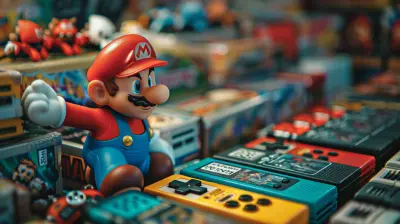
all images in this post were generated using AI tools
Category:
Steam GamesAuthor:

Avril McDowney
Discussion
rate this article
1 comments
Sienna McLaughlin
Great tips in this article! Smart spending can lead to epic gaming without breaking the bank.
July 7, 2026 at 2:35 AM